
Procurement project management · Playbook
Procurement Project Playbook: From Idea to Specification, Gantt, Budget, RFQ, Supplier Scorecard and Delivery
Seven steps, six decision gates and four editable templates for buying packaging lines, greenhouse systems, cold rooms and other capital equipment without losing control of scope, time or money.
Global B2B Group project team · Published
Written and reviewed by the Global B2B Group project team from the workflows our free tools support. It is general guidance, not legal, tax or engineering advice.
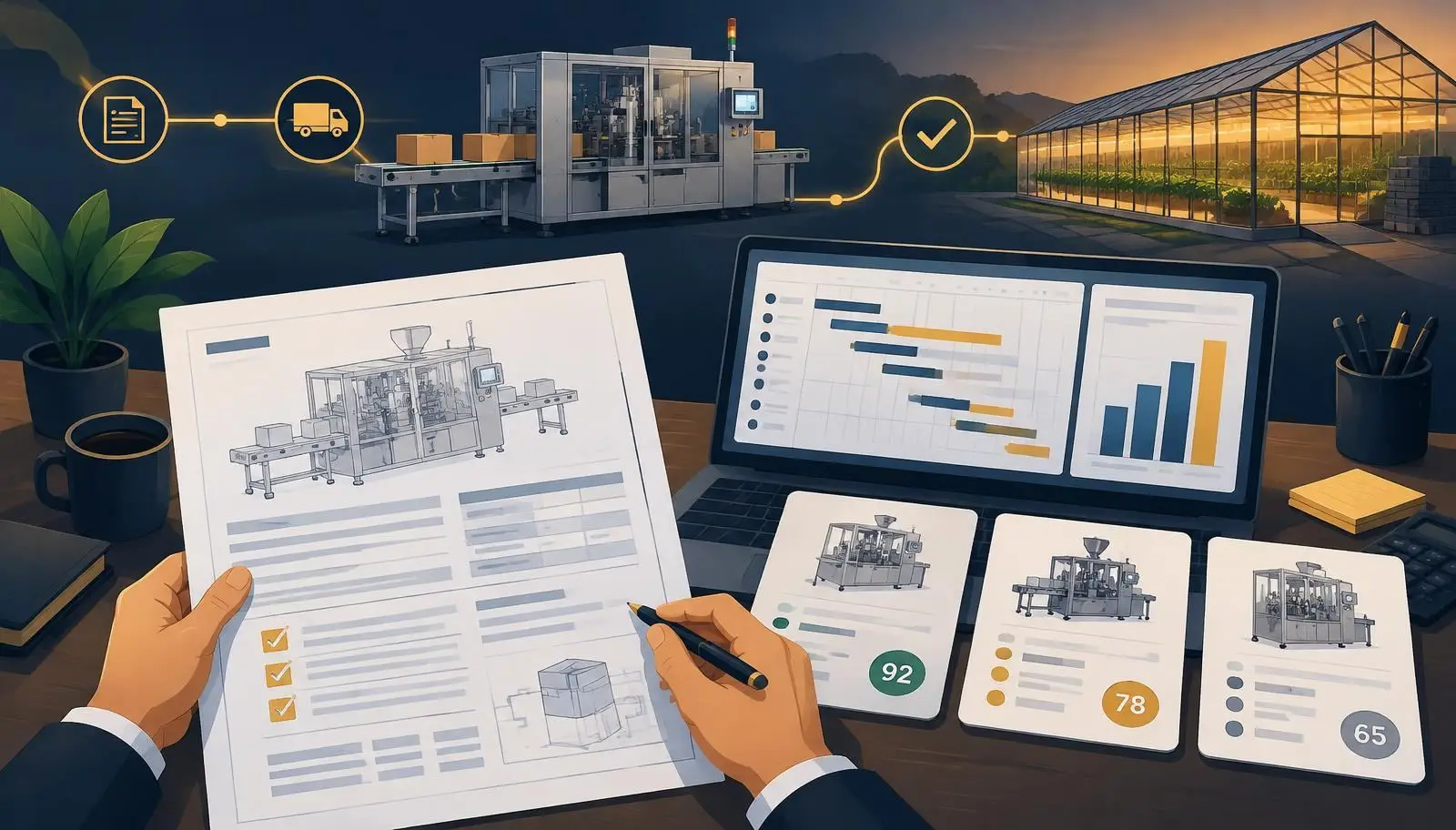
Step 1 — What outcome are you buying?
Suppliers sell machines; you are buying a result. Write it as a number: 3,000 trays/hour, 12 tonnes of feed per day, payback within 36 months.
How to do it
- State product, capacity, shifts and quality target in one paragraph.
- List hard constraints: site, power, budget ceiling, go-live date.
- Run the free project planner to see which RFQ details are still unknown.
Costly mistake to avoid: Starting with a brochure model number. You inherit the supplier's assumptions instead of your own.
Open the project planner →Step 2 — How do you write a specification suppliers can quote?
A user requirement specification (URS) describes what the equipment must do, not how to build it. It is the document you will test against at handover.
How to do it
- Cover capacity, product range, utilities, hygiene or safety standards and required certification marks.
- Separate must-haves from nice-to-haves.
- Attach a floor plan and utility data; unknown utilities cause most site surprises.
Costly mistake to avoid: Letting each supplier write the spec. Their quotes then cover different scopes and cannot be compared.
Build the specification in the RFQ builder →Step 3 — How do you plan the timeline on a Gantt chart?
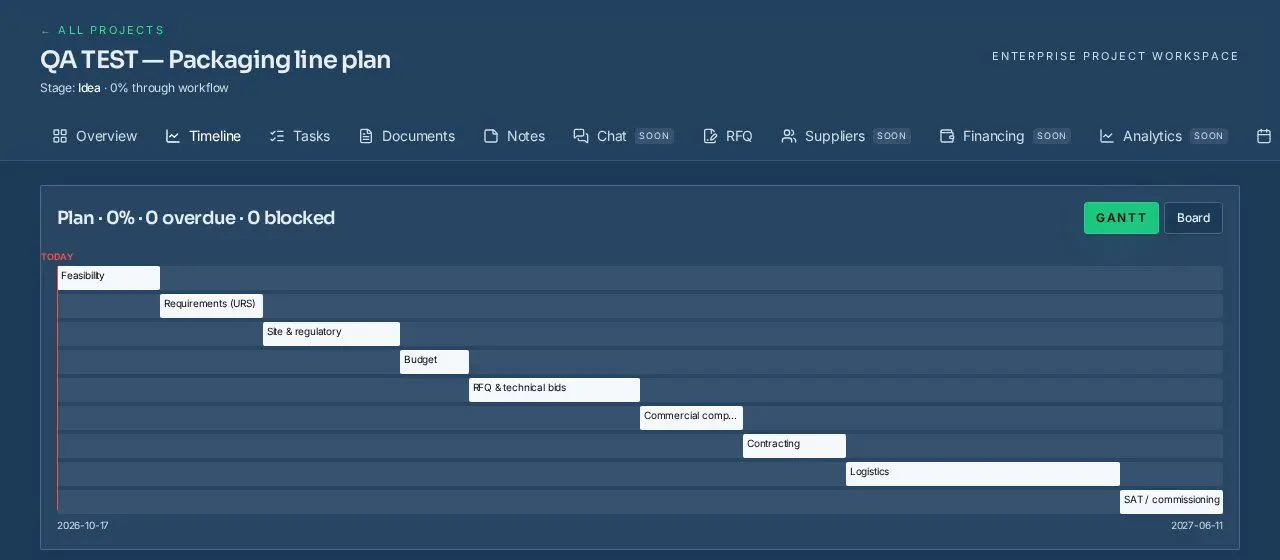
A Gantt chart shows phases as dated bars and the dependencies between them. Lead time is usually the longest bar, so it drives everything else.
How to do it
- Use phases, not hundreds of tasks: outcome & URS, budget, RFQ, award, manufacturing & FAT, shipping & SAT.
- Link phases so a slipped award date moves delivery automatically.
- Mark the critical path and review it weekly.
Costly mistake to avoid: Planning the go-live date first and squeezing supplier lead time to fit.
Plan phases in your buyer workspace (free account) →Step 4 — How much contingency and which costs belong in the budget?
Budget CAPEX (equipment, freight, duty, installation) and yearly OPEX (energy, maintenance, spares, labour). Track each line as estimated, then quoted, committed and actual.
How to do it
- Convert every quote to one currency and record the exchange-rate date.
- Add a contingency; teams commonly use 5–15% depending on how mature the specification is.
- Model total cost of ownership over the equipment's working life, not just the purchase price.
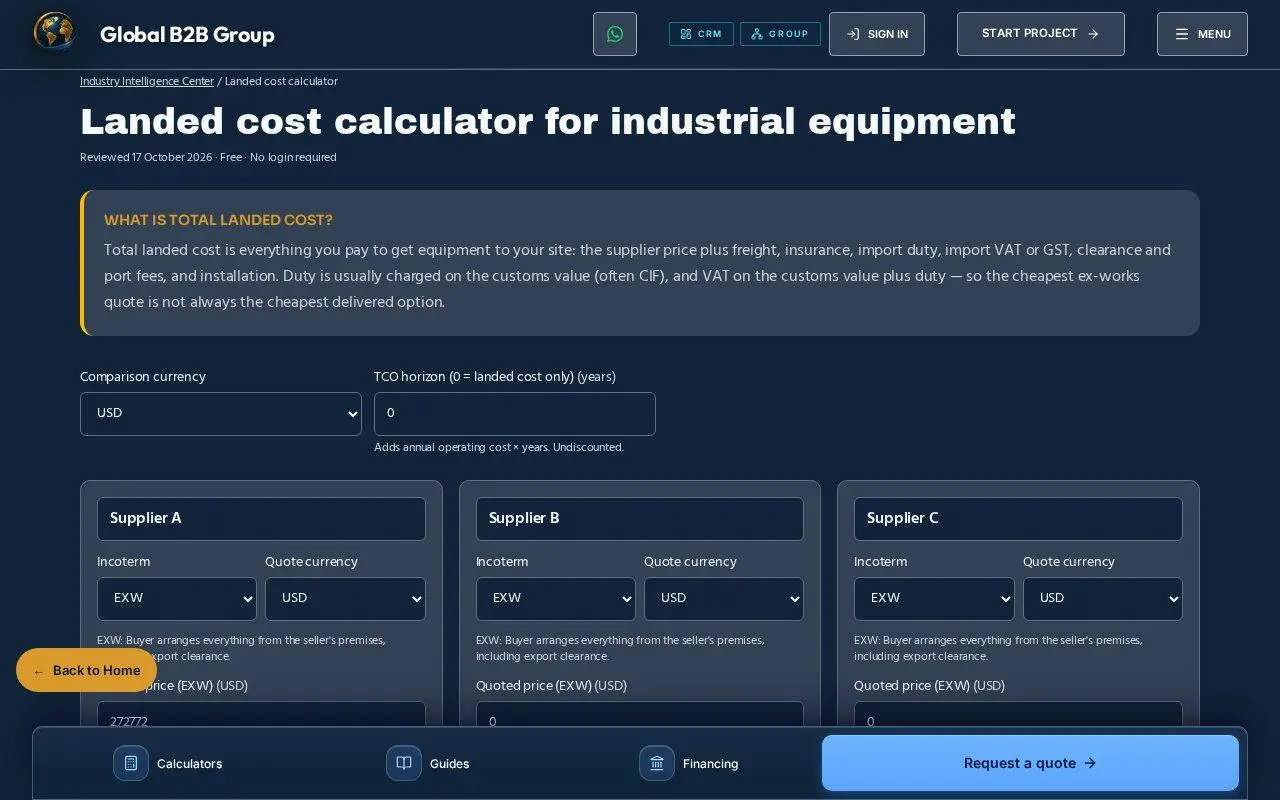
Costly mistake to avoid: Comparing an EXW price with a delivered (DAP) price. Freight, insurance and duty can change the ranking.
Compare landed cost and TCO →Step 5 — What must a request for quotation include?
An RFQ is the same question asked to every supplier. Identical questions produce comparable answers.
How to do it
- Send the URS, Incoterm and named place, currency, validity date and payment milestones you expect.
- Ask for an included/excluded list, lead time from drawing approval, warranty start and spare-parts lead time.
- Tell suppliers how offers will be scored.
Costly mistake to avoid: Accepting quotes in different Incoterms or currencies without normalising them first.
Start a free RFQ →Step 6 — How do you score suppliers fairly?
A weighted scorecard turns judgement into a transparent number. Agree the criteria and weights before you open the prices.
How to do it
- Typical weights: landed price 35, technical fit 25, lead time 15, warranty & service 15, payment terms 10.
- Score each criterion 0–10 with written evidence.
- Do not award while any offer still has data gaps.
Costly mistake to avoid: Choosing the lowest price and discovering missing commissioning or spare parts later.
Use the supplier scoring calculator →Step 7 — How do you accept the equipment?
Acceptance proves the machine meets the URS: a factory acceptance test (FAT) before shipping and a site acceptance test (SAT) after installation.
How to do it
- Write test criteria into the RFQ, not after the order.
- Tie the final payment to a passed SAT.
- Record punch-list items with owners and dates.
Costly mistake to avoid: Paying 100% before shipment, which removes your leverage to fix defects.
Use the FAT checklist →Six decision gates: when may the project move on?
A gate is a short meeting where one question must be answered yes, with evidence. If not, the project holds — which is far cheaper than fixing it after the order.
G0 Outcome
Is the result measurable?
G1 Specification
Is the URS written and signed?
G2 Budget
Is CAPEX + OPEX with contingency approved?
G3 RFQ release
Can every supplier quote the same scope?
G4 Award
Is the scorecard complete with no data gaps?
G5 Handover
Did FAT and SAT pass against the URS?
Example timeline: a packaging line in 39 weeks
Illustrative schedule for one imported packaging line. Your durations depend on the supplier's quoted lead time.
Starter risk register
Score each risk by likelihood × impact (1–5 each, so 1–25) and review it at every gate. Method in line with the ISO 31000 risk-management principles.
RiskQuotes cover different scopes
L × I4 × 4 = 16
MitigationOne RFQ pack with included/excluded list
Early warningPrices differ >20% without explanation
RiskLead time slips
L × I3 × 5 = 15
MitigationDelay penalty, milestone payments
Early warningDrawings not approved on plan
RiskExchange rate moves
L × I3 × 3 = 9
MitigationRecord FX date; consider hedging
Early warningRate moves >3% from budget
RiskSite utilities insufficient
L × I2 × 5 = 10
MitigationUtility survey before RFQ
Early warningPower or water data missing
RiskDuty or certification surprise
L × I2 × 4 = 8
MitigationConfirm HS code and required marks
Early warningNo HS code by gate G3
Download the editable templates
Plain CSV files that open in Excel, Google Sheets or LibreOffice. No sign-up needed.
- Decision gates (.csv)
- Risk register (.csv)
- Supplier scorecard (with formula) (.csv)
- RFQ specification checklist (.csv)
Column headers are in English so files stay compatible across teams.
See it in the free tools
Real screens from the tools linked in this playbook.
Why not just use a generic project-management tool?
Phases
Generic PM toolBlank board you design yourself
This workflowProcurement phase template, from URS to SAT
Quote comparison
Generic PM toolSpreadsheet outside the tool
This workflowIncoterm-aware landed cost, TCO and weighted scorecard
Supplier outreach
Generic PM toolNot included
This workflowOptional managed RFQ: our team contacts suppliers for you
Cost
Generic PM toolUsually per-user subscription
This workflowBuyer tools are free
Generic tools are excellent for general tasks; this comparison covers procurement-specific needs only.
Frequently asked questions
What is a procurement project plan?
A dated plan that links the outcome, specification, budget, RFQ, supplier selection and acceptance, with decision gates between them.
What should a supplier scorecard include?
Weighted criteria agreed before prices are opened — typically landed cost, technical fit, lead time, warranty and payment terms — each scored 0–10 with evidence.
How much contingency should an equipment project have?
There is no single rule; many teams use 5–15%, more when the specification or site is still uncertain. Record why you chose the figure.
Do I need an account to use the tools?
No for the planner, calculators, templates and RFQ builder. A free account is needed only to save a project plan in the buyer workspace.
Does Global B2B Group sell the equipment?
No. We are supplier-neutral; on a managed RFQ our team contacts suppliers on your behalf and you choose. Managed sourcing typically starts at USD 250,000 project size.
Sources and standards
- Incoterms® 2020 rules — International Chamber of Commerce (ICC)
- World Bank procurement framework — World Bank
- ISO 31000 risk management — ISO
- What is project management? — Project Management Institute (PMI)
Related guides and tools
Start your project the structured way
Run the planner, download the templates, then send one clean RFQ. A person on our team reviews every submitted RFQ.
