
Procurement project management · Pillar guide
The Operating System for Modern Agricultural Procurement: Plan, Budget, Source and Deliver Projects in One Place
A practical guide to running a capital equipment project — from first idea to commissioning — with one plan, one budget logic and one supplier-neutral RFQ process.
Global B2B Group project team · Published
Why do agricultural projects need a procurement system, not just a supplier list?
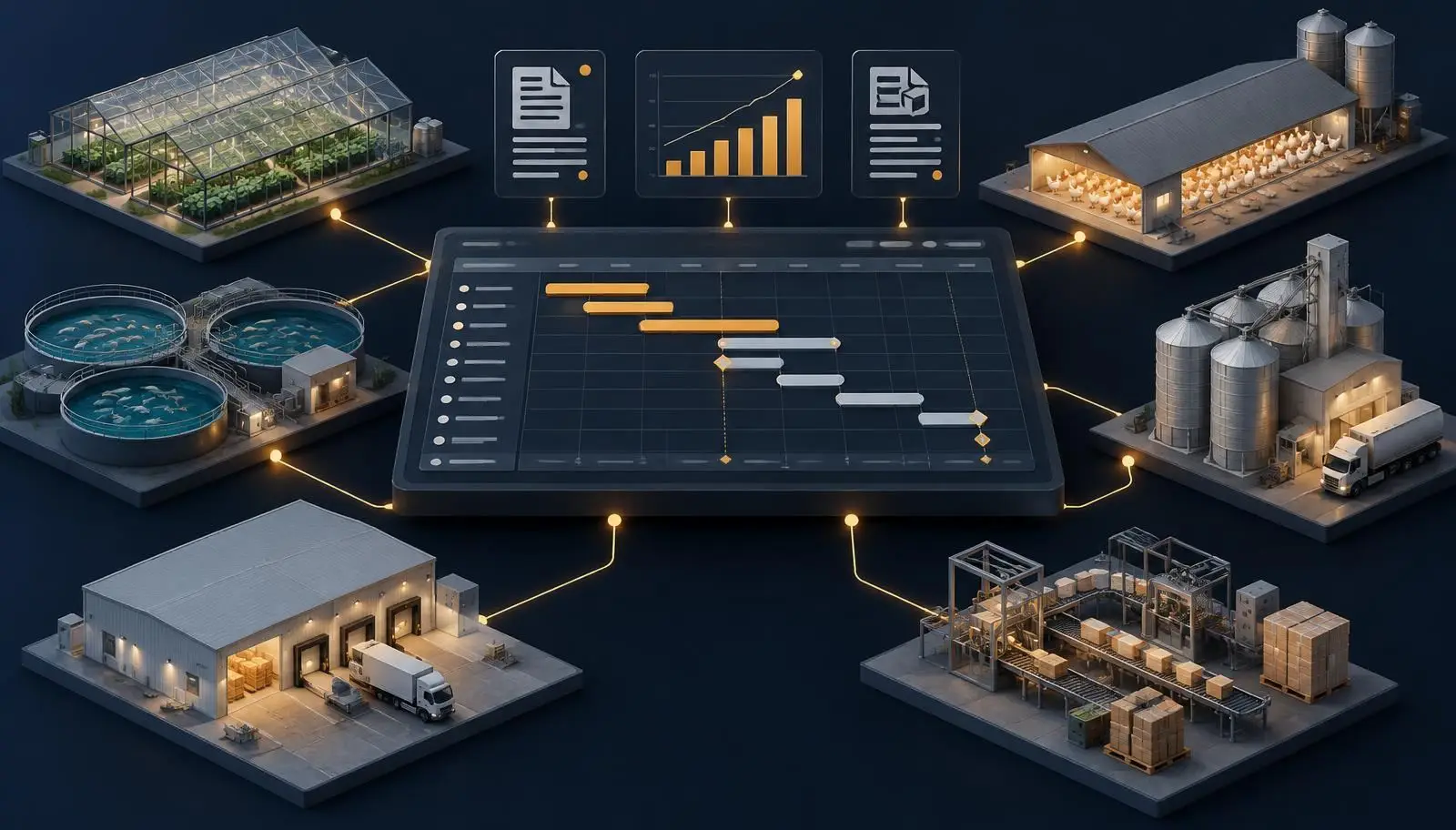
Most agri-food projects are not a single purchase. A broiler farm expansion touches housing equipment, feed handling, climate control, power, water and often a cold room and a packing line. A recirculating aquaculture (RAS) project combines tanks, filtration, oxygenation, monitoring and building works. Each package has different suppliers, lead times and acceptance tests.
When these packages are bought one at a time, the typical problems are predictable: specifications that do not match each other, quotes that cannot be compared because scope differs, delivery dates that ignore civil works, and budgets that miss installation, freight or contingency. Project management practice (see PMI's definition of a project as temporary work with a defined scope and end) exists precisely to prevent this — but generic task tools rarely know what an RFQ, an Incoterm or a factory acceptance test is.
A procurement operating system closes that gap: it keeps the technical scope, the plan and the money in one place, and treats suppliers as options to be compared on equal terms rather than as the starting point.
What does the Global B2B Group ecosystem actually include today?
Everything listed below is live on this site. Where something needs registration or is a managed service, we say so.
- Knowledge and research: the Executive Knowledge Center with guides, plus Industry Intelligence — a daily-refreshed digest of official regulatory and trade sources (free, no sign-in).
- Calculators: CAPEX, TCO, ROI and a weighted supplier-scoring tool (free, no sign-in).
- RFQ builder: structure requirements into a comparable request (free; submitting sends it to our team for review).
- Project workspace: create a project, apply a nine-phase procurement template, edit start/due dates, progress, dependencies and blockers, and view it as a Gantt chart or board (free account required).
- Managed service: our project team scopes the RFQ, contacts suppliers on your behalf and prepares a comparison. We are supplier-neutral and do not give buyers direct supplier contact lists. Buyer service is free; qualifying projects are typically USD 250,000 or more.
How do you go from idea to a scope suppliers can price?
Start with the outcome, not the machine: target capacity (birds per cycle, tonnes per hour, kilograms of fish per year), product specification, site constraints, utilities available, and the date you need production. Write these as a short User Requirement Specification (URS). A good URS states what must be true at acceptance — not which brand to buy.
Next, test feasibility: is the site permitted, is power and water capacity enough, and does the rough CAPEX fit the financing you can realistically raise? The CAPEX and ROI calculators help you frame ranges early; they do not replace supplier quotes. Our Industry Intelligence page is useful at this stage to check recent regulatory changes that affect equipment or imports.
How should a procurement timeline be structured?
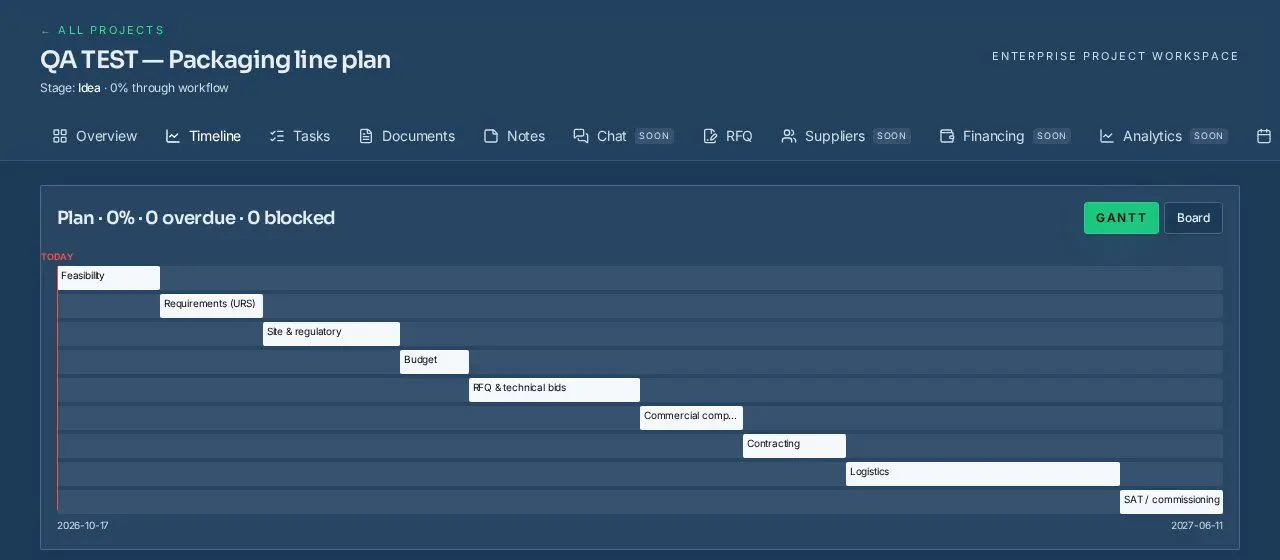
Procurement delays usually come from sequencing, not from any single supplier. A practical plan for an industrial or agri-food project follows nine phases: feasibility, requirements (URS), site and regulatory, budget, RFQ and technical bids, commercial comparison, contracting, logistics, and site acceptance (SAT) / commissioning.
The workspace template creates these nine phases with default durations you then adjust to your project. Link phases with dependencies — for example, contracting cannot start before commercial comparison — so the plan shows which chain of tasks controls your finish date. Any task past its due date is flagged as overdue, and any task with a recorded blocker is flagged as at risk.
How do you compare suppliers on total cost, not headline price?
Two quotes are comparable only when they cover the same scope under the same delivery terms. Fix the Incoterm (the ICC Incoterms rules define who pays freight, insurance and duties), list what is excluded, and ask every supplier for the same breakdown: equipment, spares, installation, training, freight and warranty.
Then compare on total cost of ownership: energy, consumables, maintenance and expected downtime over the equipment's life. The TCO calculator structures this; the supplier-scoring tool lets you weight technical fit, delivery risk and service alongside price. In our managed service the project team prepares this comparison for you and explains the trade-offs.
How do you monitor delivery, milestones and risk until commissioning?
After contract, the risks move to manufacturing, shipping and site readiness. Keep factory acceptance testing (FAT) and site acceptance (SAT) as explicit milestones with written criteria — our FAT checklist is a free starting point. Update task progress weekly, record blockers as soon as they appear, and review the Gantt chart's today line against the plan.
Financing: our site explains financing pathways and, where available, can introduce projects to financing options; we do not claim lender partnerships or approvals.
The customer journey on one page
Guides and daily official-source intelligence.
CAPEX and ROI ranges before quotes.
Create a workspace and apply the template.
Structured, comparable requirements.
TCO, not just price.
Weighted, documented criteria.
FAT and SAT with written criteria.
Managed, supplier-neutral RFQ service.
The nine-phase procurement plan
What the project plan looks like
Hands-on tutorials
1. How to start a project
- Create a free buyer account or sign in.
- Open the project workspace and choose “New project”.
- Enter a project name, industry, country and an estimated budget if you have one.
- Open the project — the Overview tab shows stage and health indicators.
2. How to prepare a procurement timeline (Gantt)
- In your project, open the Timeline tab.
- Click “Apply template” to create the nine procurement phases.
- Adjust each start and due date to your real constraints.
- Set dependencies (“After: …”) where one phase must finish first.
- Switch between Gantt and Board views; drag tasks between columns on the board.
3. How to create an RFQ
- Open the RFQ builder.
- Describe the outcome, capacity, site and utilities.
- List the scope packages and what is excluded.
- State delivery terms (Incoterm), target dates and acceptance criteria.
- Submit — the project team reviews it before any supplier is contacted.
4. How to compare total supplier costs
- Normalise every quote to the same scope and Incoterm.
- Enter equipment, installation, energy, maintenance and spares in the TCO calculator.
- Weight technical fit, delivery risk and service in the supplier-scoring tool.
- Record why you chose the winner — it protects the decision later.
5. How to monitor milestones and risk
- Update progress (%) on each task weekly.
- Write a blocker the day a problem appears.
- Check the plan header for overdue and blocked counts.
- Review the Gantt today line against the plan before each supplier call.
Worked example: a cross-sector agri-food expansion
A producer plans to add a broiler house, a small cold room and an automated packing line under one project. Structuring it as one plan avoids buying the packing line before the cold room capacity is fixed.
Hypothetical illustration only — these are not quotes, benchmarks or market prices.
| Budget line | Hypothetical USD |
|---|---|
| Housing & climate equipment | 380,000 |
| Cold room (refrigeration + panels) | 140,000 |
| Packing line | 260,000 |
| Freight, duties & insurance | 70,000 |
| Installation & commissioning | 85,000 |
| Contingency (10%) | 93,500 |
| Total (hypothetical) | 1,028,500 |
Sector projects: when a specialist platform fits better
Global B2B Group handles cross-sector, packaging-line and custom machinery projects directly. Single-sector infrastructure goes to the matching group platform:
- HatchMatch
Poultry and hatchery projects.
- FishMatch
Aquaculture, RAS and fish-farm projects.
- SeedMatch
Seed, nursery and greenhouse-input projects.
- FeedMatch
Feed mill and animal-feed projects.
- ColdMatch
Cold-chain and cold-storage projects.
How this differs from generic project management tools
Plan template
Generic task toolBlank board you design yourself
This ecosystemNine procurement phases from feasibility to SAT
Supplier quotes
Generic task toolAttachments, no comparison logic
This ecosystemTCO and weighted scoring tools; managed comparison
Budget
Generic task toolSeparate spreadsheet
This ecosystemCAPEX/ROI calculators linked from the plan
Supplier outreach
Generic task toolNot included
This ecosystemProject team contacts suppliers on your behalf (supplier-neutral)
Cost to buyers
Generic task toolVaries by vendor
This ecosystemFree buyer tools; free managed service for qualifying projects
General tools can be excellent for task tracking; this comparison describes typical design focus, not any specific product.
Free pre-RFQ checklist
- Target capacity and product specification written down
- Site, permits and utilities confirmed
- CAPEX range and financing assumption recorded
- Scope packages and exclusions listed
- Incoterm and delivery location fixed
- Acceptance (FAT/SAT) criteria agreed
- Nine-phase plan dated with dependencies
Frequently asked questions
Is the project workspace free?
Yes. Creating projects, applying the template and editing the plan are free; you need a free account so your projects stay private to you.
Does Global B2B Group connect me directly with suppliers?
No. We run a supplier-neutral managed process: our team contacts suppliers on your behalf and presents a comparison.
Is there a minimum project size?
The tools are open to everyone. The managed RFQ service is aimed at projects typically from USD 250,000.
Can I use the plan for non-agricultural projects?
Yes. The nine phases are written for industrial engineering and multi-category procurement in general, including packaging lines and custom machinery.
Do you guarantee prices or savings?
No. Calculators show your own assumptions; real prices come only from supplier quotes.
Sources and further reading
Independent references used for definitions in this guide:
- World Bank — Procurement Framework — World Bank
- ICC — Incoterms® rules — International Chamber of Commerce (ICC)
- PMI — What is project management? — Project Management Institute (PMI)
Start planning today
Create a project, apply the nine-phase plan and, when you are ready, send a structured RFQ for human review.